
Transform
CC to Note
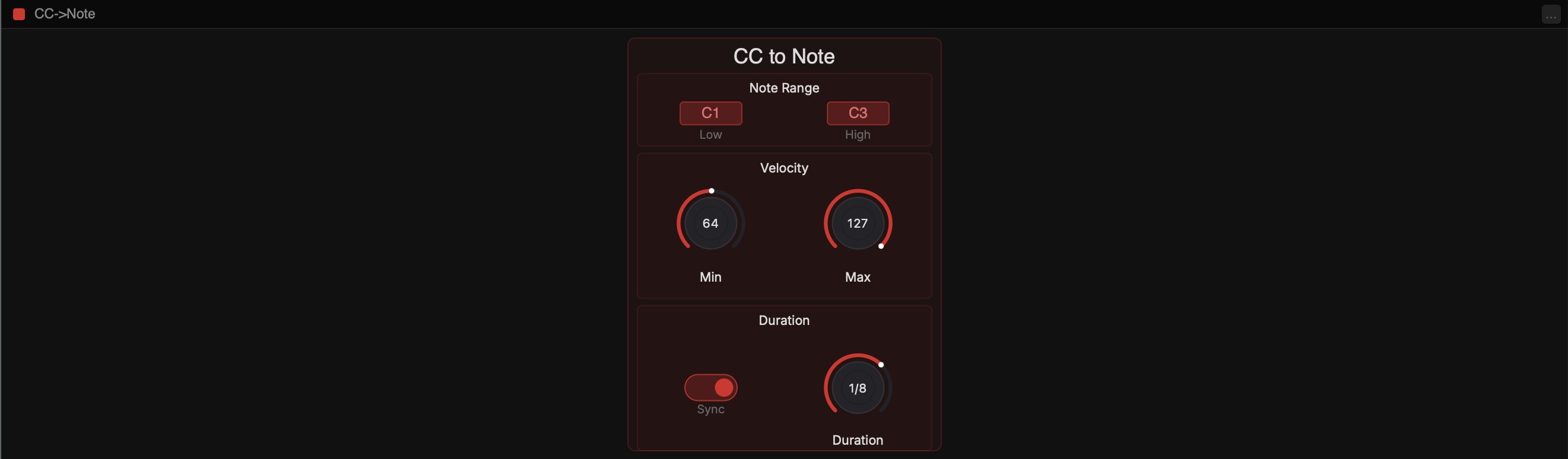
Converts CC messages into MIDI notes. The CC value determines which note fires within a configurable range. Works on CCs only.
How It Works
The note range (Low to High) is divided into equal segments, one per semitone. As the CC value moves, it enters different segments and triggers the corresponding note. Each note is held for the configured duration, then released.
Only one note plays at a time. When the CC moves to a new segment, the previous note is released before the new one fires.
Note Range
Low NoteThe lowest note in the range. Click to edit or use MIDI Learn to set by playing a note.
High NoteThe highest note in the range. Click to edit or use MIDI Learn to set by playing a note.
Velocity
MinThe minimum random velocity for triggered notes.
MaxThe maximum random velocity for triggered notes.
Each triggered note has a random velocity between Min and Max. Set both to the same value for a fixed velocity.
Duration
DurationHow long each triggered note lasts — in milliseconds (free) or a note value (sync).
SyncLocks note duration to the host tempo.
Notes
- •CC to Note can be followed by any transform that works on notes.
- •This means you can use Harmonize in the chain to add scale quantization and chord generation to the triggered notes. It's good, check it out!
- •The CC message is consumed — it does not pass through to the output.