
Manual
Scheps MIDI Transformer
Scheps MIDI Transformer (SMT) is a MIDI effect plugin for any DAW. It lets you create rows of MIDI processing, each with an independent chain of up to four transforms that can shape, remap, harmonize, modulate, and route your MIDI in real time.
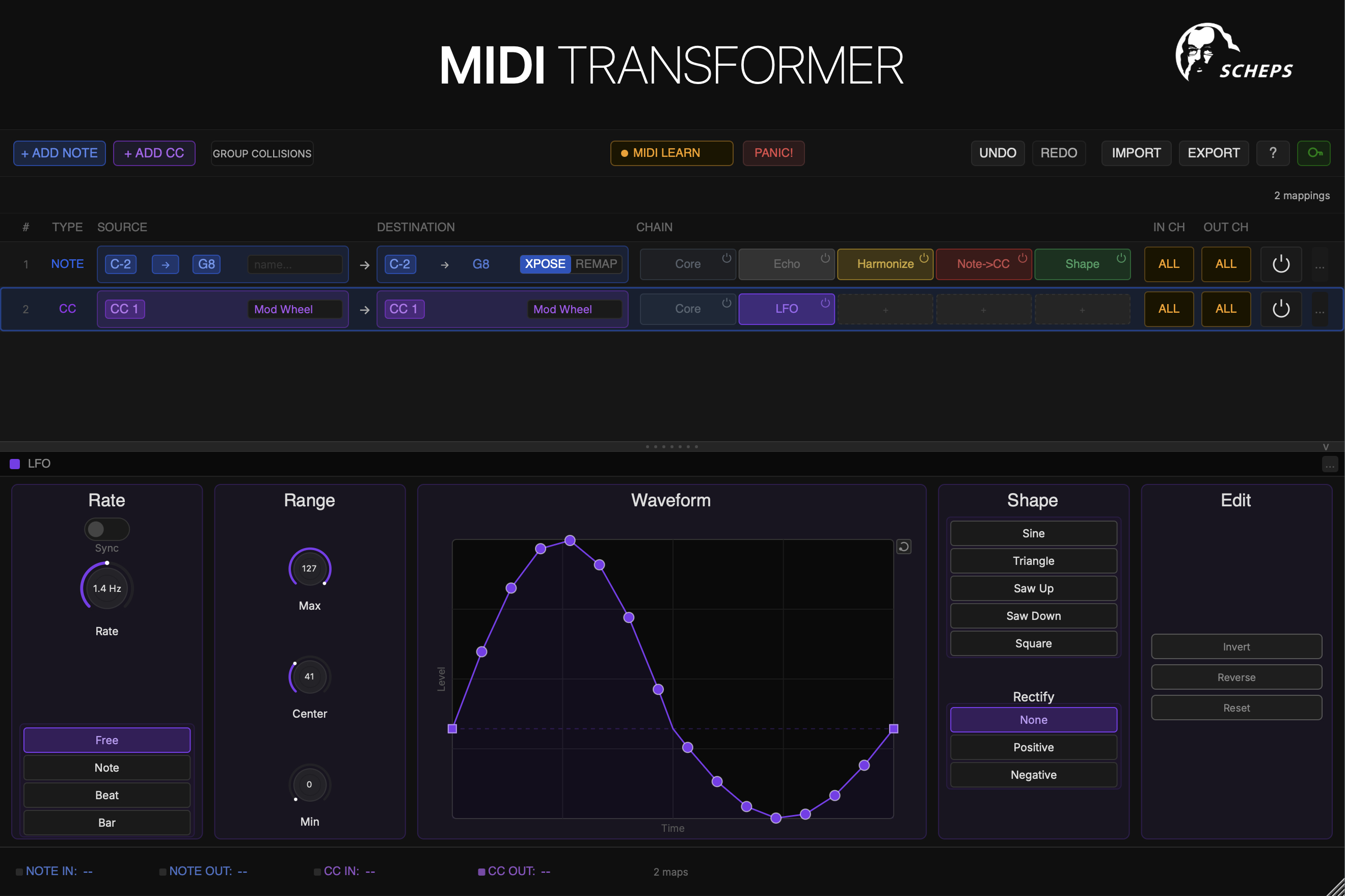
What can it do?
SMT is built around a simple but powerful idea: every MIDI message passes through a row, and every row has a chain of transforms. You can have as many rows as you need, each listening on a different note range or CC number, each doing something completely different.
A single instance of SMT can simultaneously transpose notes, generate chords, modulate CC values with an LFO, remap a keyswitch layout for a sample library, and echo a melody — all on different rows, all at the same time.
Quick start
Add SMT as a MIDI effect on a track in your DAW.
Click + ADD NOTE or + ADD CC in the toolbar to create your first row.
Set the source range — which notes or CC number this row responds to.
Click an empty slot in the transform chain to add a transform.
Play some MIDI and hear it transformed!
In this manual
Getting Started
Installation, activation, and your first session.
The Interface
Title bar, toolbar, row list, and transform editor.
Rows
Note rows, CC rows, source ranges, and routing.
Transforms
All ten transforms explained in detail.
Remap Editor
Keyboard-based note remapping.
Presets
Saving and loading global, row, and transform presets.
Licensing
Demo period, activation, and deactivation.