
The Interface
Layout Overview
SMT's interface is divided into four main areas: the title bar, the toolbar, the row list, and the transform editor.
Title Bar
The title bar runs across the top of the plugin. It shows the plugin name and, when relevant, the current license state:

Toolbar
The toolbar sits below the title bar and contains controls that affect the whole session.
Left side
Center
Right side
- Green = licensed
- Amber = demo
- Red = unlicensed

Row List
The row list takes up the upper portion of the main area of th e plugin. Each row represents one MIDI processing path. Rows are processed independently and in parallel — a MIDI message can be claimed and processedby multiple rows simultaneously.
Each row shows, left to right:
Transform Editor
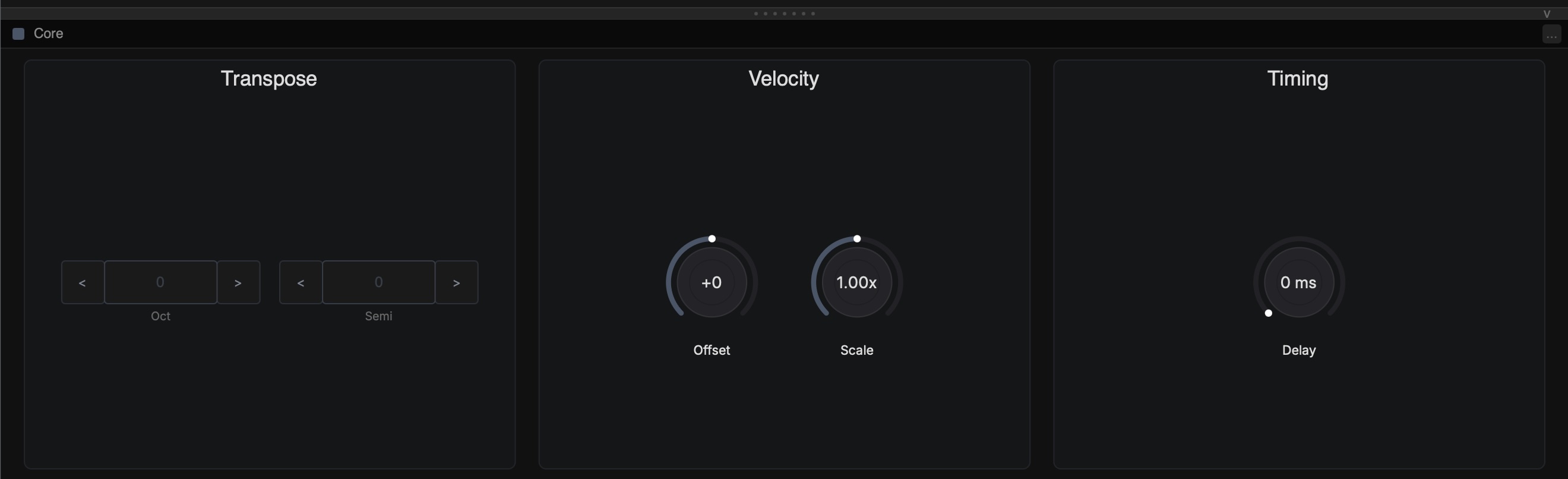
The Transform Editor occupies the lower portion of the main area. It shows the controls for whichever transform is currently selected in the row list.
Click any pill in a row's transform chain to open its editor. Click the Core pill (the leftmost one, labelled with the row type) to open the Basics editor for that row.
The divider between the row list and chain editor can be dragged up or down to resize the two areas.

Status Bar
The status bar runs along the bottom of the plugin and shows the last MIDI message seen at the input and output, with activity indicators for notes and CC values on both sides.